


Trust: Crypto & Bitcoin Wallet
4.521.42K Reviews
App Specs
- Version
- 26.34.16
- Updated On
- License
- Free
- Downloads
- 50,000,000+
- Developer
- DApps Platform, Inc.
- Categories
- Finance
- Platform
- Android, iOS
Screenshots
 Analysis by AppCompare
Before choosing Trust: Crypto & Bitcoin Wallet, it helps to set the right expectation: this is a self-custody finance app, not a bank account or a beginner-proof way to make money. You control the wallet, which gives you more direct access to your crypto but also makes careful handling of recovery details part of the job. I find that trade-off easier to understand when I think of the app as a place to hold and manage assets rather than as a button that removes the risks of crypto.
What to expect from a self-custody wallet
The app is free and comes from DApps Platform, Inc. It has an average rating of 4.5 from around 2.5 million ratings, and it has been installed over 50 million times. Those figures suggest that it is a familiar option for many people, but popularity should not be mistaken for protection against a bad transfer, a volatile market, or a lost recovery phrase. The age rating is Everyone; that describes the app’s store classification, not whether crypto is suitable for every person or household.
Its multi-chain approach is useful if you want to keep assets from more than one network in one wallet instead of switching between separate apps. The practical benefit is less app-juggling; the trade-off is that you still need to understand which network an asset or transfer uses. A token with a familiar name can exist on different chains, and choosing the wrong network when receiving or sending can create a costly problem. I would check the asset and network shown on both sides of a transfer, rather than relying on the token name alone.
That makes the wallet a better fit for someone willing to pause and verify details than for someone who wants every crypto decision made automatically. If your main need is simply to buy and hold a small amount through a familiar regulated financial service, a conventional exchange account may feel easier. A self-custody wallet gives you more direct control, but it also puts more responsibility on you.
Getting through setup without rushing
The first setup is a good moment to slow down, even if the screens feel straightforward. Read the recovery instructions, write the recovery phrase down carefully if the app presents one, and store it somewhere private and secure. Do not treat a screenshot, an unsent draft, or a message to yourself as a safe backup. Anyone who gets access to a recovery phrase may be able to control the wallet, so never share it with someone claiming they need it to fix an account.
Before adding funds, I would also take a moment to learn where the app displays the receiving address and how it identifies the relevant network. If you are new to crypto, start by receiving a small amount you can afford to risk, then confirm that it arrives before attempting a larger transfer. This test costs time and may involve network fees, but it is a sensible way to catch a copied-address or network-selection mistake while the amount is limited.
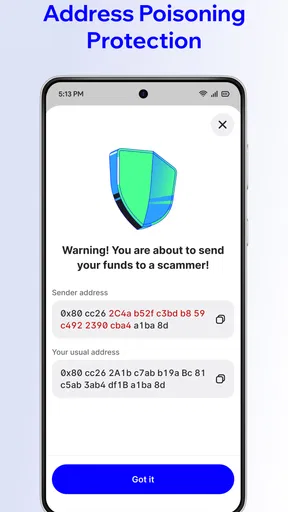
Wallet access and asset safety are not the same thing. A biometric unlock can make opening the app more convenient, but it does not replace a secure recovery backup. Likewise, a wallet’s security tools cannot reverse a transfer sent to the wrong address. I would make the backup and test-receive part of setup rather than something to deal with only after a phone is lost or replaced.
Worth Reading Before You Choose

Baby Panda World Brings Quick Play to Modern Phones, but Its Game Library Feels Busy

ESPN’s Live Game View Makes Following Close Games Easier

QuizzLand Review: A Good Fit for Short Trivia Breaks, Not Every Player

Basketball Stars: Multiplayer Is Fast, but Can It Recover When Matches Go Wrong?

WEBTOON Turns Phone Updates Into a Better Reading Routine

Link to Windows Runs on Shared Habits, Not Social Feeds
Your first useful action: receive, check, then move carefully
A calm first success is receiving crypto rather than immediately trying to trade. Open the relevant asset, use its receive option, and compare the address shown in the wallet with the destination entered by the sender. If a QR code is involved, check that the app on the other side has scanned the intended address and network. Once the transfer appears, look at the transaction details and keep a note of what you did; that small habit makes it easier to recognize a later transfer and avoid guessing.
For example, imagine a friend is paying you back in a supported asset. I would first agree on the exact asset and network, then send them the receiving details from the matching wallet screen. I would ask them to send a modest test amount if this is the first time we have used that route. After it arrives, we can decide whether to send the remainder. It is not the fastest possible workflow, but it is much less stressful than discovering a mismatch after a larger transfer.
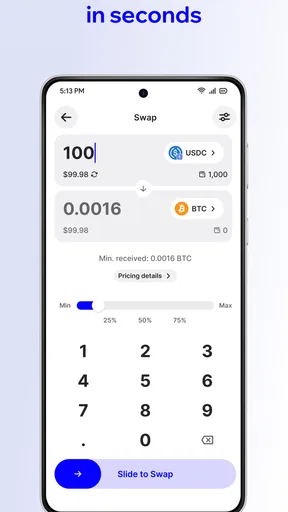
Swapping is a separate decision, not simply a harmless way to tidy a portfolio. Check the assets involved, the network, the quoted amount, and any displayed costs before confirming. Prices can move, and a swap may not return the amount you expect after fees or other transaction costs. For a first-time user, it is worth learning how to receive and inspect a transaction before using the swap option as if it were an instant currency exchange.
Common points of confusion
One easy misunderstanding is assuming that a wallet balance works like a bank balance. Crypto values can change, and an amount shown in a portfolio view is not a promise that you can sell at that exact figure. A price chart is useful for context, but it cannot tell you what a future sale will return. I would use the balance view to monitor holdings, not as a reason to make a rushed decision.
Another is expecting a transfer to behave like a card payment. Crypto transfers depend on the relevant network, and confirmation can take time. If something does not appear immediately, first check the transaction status and details rather than sending the same amount again. Repeating a transfer because the display has not updated can create a second payment instead of solving the first one.
People also ask whether they need to buy crypto before installing a wallet. You can install and explore the interface first; funding it is a separate choice. If you do decide to buy, review the final amount, asset, and any costs shown before approving. I would not put money into an asset merely to see how a feature works, and I would not use funds needed for ordinary bills to experiment.
How it fits into everyday crypto use
Compared with a custodial exchange, a self-custody wallet puts more control in your hands and more recovery responsibility on you. Compared with using separate wallets for separate chains, a multi-chain app can make everyday tracking feel more convenient, though it does not remove the need to check network compatibility. If you mostly trade frequently, an exchange interface may suit you better; if you want direct wallet control and are willing to learn safe transfer habits, this app is more relevant.
A practical routine could be checking a balance during a quiet moment, reviewing recent activity, and deciding whether a transfer is actually needed before taking action. I would avoid making a trade because a chart looks urgent or because an app is already open. Keeping a short personal record of why you moved funds, which network you used, and where the transaction went can help you make sense of your history later, especially when assets are spread across chains.
The app’s current version is 26.22.6, and its release date was October 25, 2017. I would keep it updated through the normal store update process and treat any unexpected request to reveal a recovery phrase as a warning sign. The version number itself does not make a wallet safer to use; safe habits still matter more than a polished interface.
Where the convenience has limits
There is a learning curve behind the clean layout. Terms such as network, token, fee, and confirmation are not interchangeable, and a first-time user may need to look them up before approving a transaction. The app can make the steps easier to reach, but it cannot make every choice obvious or guarantee that a particular asset or route is right for you. If you are uncomfortable checking addresses and networks, keep your use limited until those basics make sense.
Self-custody also means that losing access is a serious personal responsibility. A recovery phrase should be protected from both accidental loss and unwanted access. I would not store it in a place that is routinely shared, and I would be wary of anyone offering to “validate” it. If you prefer a provider that handles account recovery and customer support through a conventional account process, a custodial service may be a better match, even though it means relying on that provider to hold the assets.
For someone already comfortable with crypto, the app’s appeal is having multiple supported assets and wallet actions in one place. For a curious beginner, its strongest use may be learning with a small amount and building a careful routine. It is not the right choice for someone who expects guaranteed returns, wants a bank-style safety net, or does not want responsibility for backups and transaction checks.
My take after weighing the trade-offs
Hey there! So, I recently got my hands on the Trust: Crypto & Bitcoin Wallet, and I've got to say, it's been quite the ride. Whether you're a seasoned crypto enthusiast or just dipping your toes into the digital currency waters, this app might just be what you're looking for. Let me take you through my experience with it.
When I first downloaded the Trust: Crypto & Bitcoin Wallet, I was immediately struck by its clean and intuitive interface. It’s got this sleek design that makes navigating through the app a breeze, even for someone who's not super tech-savvy. The setup process was surprisingly straightforward, which is always a plus in my book. No long, drawn-out tutorials or confusing steps—just a simple, user-friendly guide to get you started.
Features That Stand Out
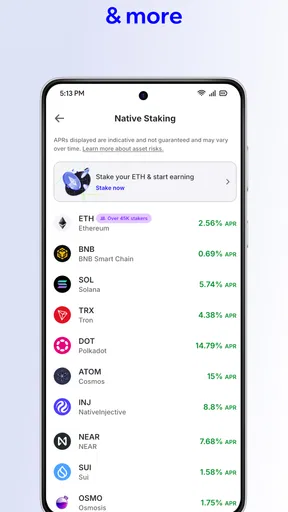
One of the things I love about this app is its wide range of features. It supports a plethora of cryptocurrencies beyond just Bitcoin, like Ethereum, Binance Coin, and many others. This diversity is great for those of us who like to dabble in different coins without having to juggle multiple apps.
The in-app exchange feature is another highlight. It allows you to swap between cryptocurrencies without ever leaving the app. This is super convenient, especially when you’re trying to make quick trades. The security features are robust, too, with encrypted private keys stored locally, offering a peace of mind that’s hard to beat.
User Experience
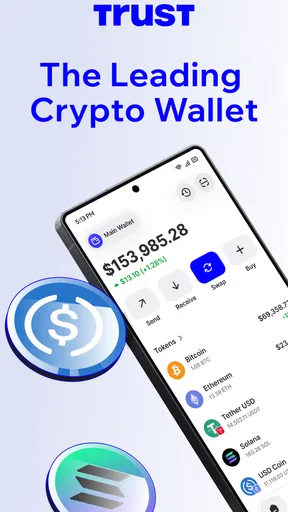
Navigating through the app is a real treat. The dashboard presents your portfolio in a clear and concise manner, letting you easily track your assets. Plus, the real-time price charts are a lifesaver for staying updated on market trends. I also appreciate the transaction history feature, which lets you keep tabs on all your exchanges and transfers.
On the support side of things, the app comes with a comprehensive help center. It’s packed with FAQs and guides, which can be really helpful if you hit a snag. I had a minor issue once, and the support team was responsive and resolved my problem swiftly, which really left a positive impression.
Security and Privacy
Security is paramount when it comes to handling cryptocurrencies, and the Trust Wallet does not disappoint. It uses industry-standard encryption and offers a seed phrase backup, which is crucial for account recovery. I also like the biometric authentication option—using my fingerprint to log in adds an extra layer of security.
Privacy is equally emphasized. The app doesn’t require any personal information, which is refreshing in a world where data privacy is often compromised. Being able to control your own funds without third-party interference is a big thumbs up for me.
All in all, the app is a solid choice for anyone looking to manage their cryptocurrencies efficiently. It combines a sleek design with powerful features and security tools, making it a go-to app for both beginners and seasoned traders. Sure, there might be a few areas for improvement, like more customizable notification settings, but those are minor quibbles in the grand scheme of things.
If you’re in the market for a reliable and versatile crypto wallet, give it a shot. It might just become your new favorite tool in the crypto world!
Pros
- User-friendly interface for beginners.
- High security with biometric login.
- Supports multiple cryptocurrencies.
- Real-time price tracking feature.
- Seamless transaction history view.
Cons
- Limited customer support options.
- Occasional sync issues reported.
- No desktop application available.
- Some features require premium version.
- Limited educational resources provided.
FAQs for Trust: Crypto & Bitcoin Wallet
What is Trust: Crypto & Bitcoin Wallet used for?
Trust: Crypto & Bitcoin Wallet is a secure, decentralized wallet that allows users to store, manage, and trade various cryptocurrencies like Bitcoin, Ethereum, and many others. It provides a user-friendly interface for both beginners and experienced users, ensuring easy access to crypto assets and decentralized applications (DApps).
Is Trust Wallet safe for storing my cryptocurrencies?
Yes, Trust Wallet is known for its high-security features. It offers private key encryption, ensuring that only you have access to your funds. The wallet is non-custodial, meaning it doesn’t store user information on its servers, providing an additional layer of security as your keys are stored only on your device.
Can I use Trust Wallet to buy cryptocurrencies?
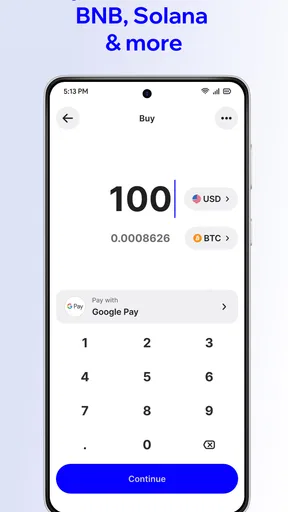
Yes, Trust Wallet allows users to purchase cryptocurrencies directly through the app using a credit or debit card. This feature is powered by third-party providers and offers a convenient way to acquire cryptocurrencies without leaving the wallet. However, availability may vary based on your location and local regulations.
Does Trust Wallet support all types of cryptocurrencies?
Trust Wallet supports a wide range of cryptocurrencies, including Bitcoin, Ethereum, Binance Coin, and many ERC-20, BEP-2, and BEP-20 tokens. The app continually updates to include new coins and tokens, ensuring broad compatibility with most of the popular and emerging cryptocurrencies on the market.
How do I access decentralized applications (DApps) with Trust Wallet?
Trust Wallet offers a built-in DApp browser that allows users to easily access decentralized applications directly from the wallet. This feature makes it simple to interact with various blockchain-based applications, such as DeFi platforms, games, and NFTs, all while keeping your crypto assets secure and within reach.


